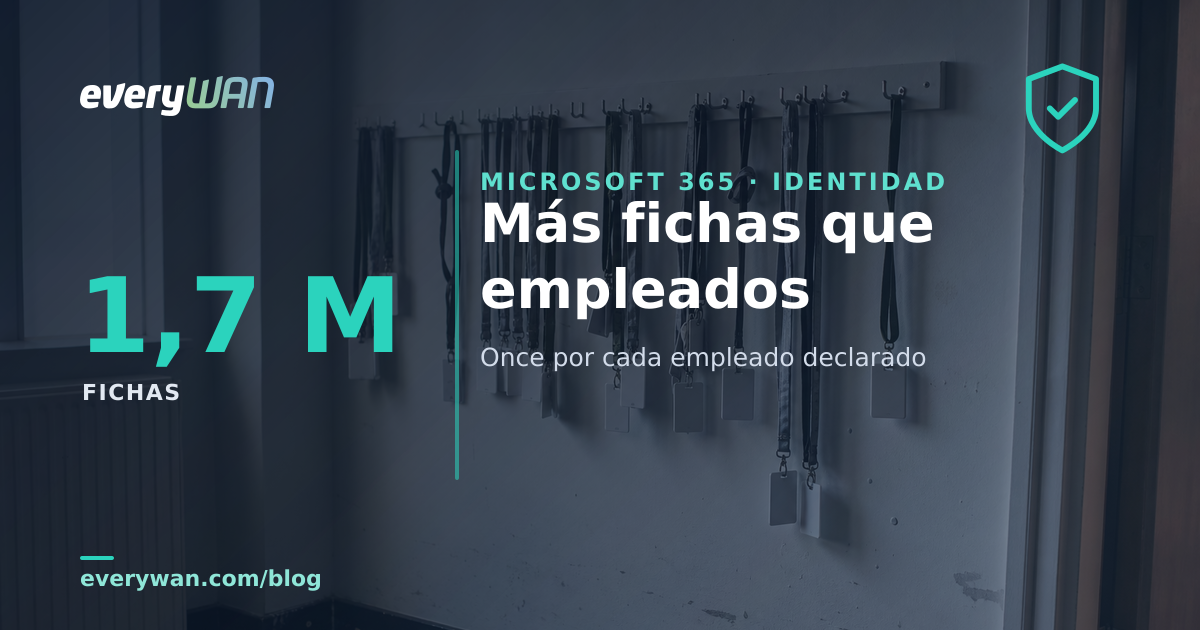
McDonald's reports over 150,000 employees in its annual filing. The batch of its corporate directory a seller put into circulation this week holds 1.7 million records. Eleven per employee.
On 16 August, Hudson Rock published the breakdown of a batch someone using the alias "TheHatman" is offering on forums: employee directories pulled — by their own account — from Azure and Entra tenants using stolen credentials. Nine organisations, from McDonald's to Wyndham. Three things are worth saying before going on. One: there is no sign that Azure failed; what failed was people's passwords, and the researchers found Azure credentials coming from infostealer infections tied to most of the companies on the list. Two: the counts are the seller's claim and none of the affected companies has confirmed them. And three: we administer Microsoft 365 tenants for our clients, so this is literally our trade and what follows should be read with an eyebrow raised.
That said, the list is missing a column nobody has placed beside it: how many people actually work at those companies. That column comes from public annual filings, and once you put the two together something shows up that is not the news story, and that does concern everyone who runs a tenant.
The two columns
| Organisation | Records offered | Declared headcount | Records per person |
|---|---|---|---|
| McDonald's | ~1.700.000 | >150.000 31-12-2025 |
11,3 |
| IHG | ~185.000 | 27.849 2025 average |
6,6 |
| Vodafone | ~425.000 | 87.205 FY2025 average |
4,9 |
| Kyndryl | ~170.000 | ~72.000 31-03-2026 |
2,4 |
| TCS | ~800.000 | 584.519 31-03-2026 |
1,4 |
| HCLTech | ~250.000 | 227.181 31-03-2026 |
1,1 |
| Gap Inc. | ~80.000 | ~79.000 31-01-2026 |
1,0 |
Two names from the list are missing, Hexaware and Wyndham, because we could not pin their headcount to a source we trust, and we would rather leave the gap than fill it. And one qualifier matters: a record is not a person. A directory dump drags along external contacts, shared mailboxes, meeting rooms, service accounts and duplicates from old migrations. That qualifier does not fix the number; it makes it worse. If a third of those 1.7 million records were not people, there would still be seven spare per employee.
The number does not measure carelessness: it measures the business model
Read the table from the bottom up. Gap, HCLTech and TCS sit against 1: nearly everyone who works there has an account, and little else creeps in. At Gap the two figures all but coincide, which says something in itself, given that 84% of its workforce is on the shop floor. At the very top, two organisations that do not manage staff: they manage brands. Franchised restaurants were 95% of McDonald's estate at the end of 2025, and IHG counts 7,459 people in corporate offices, reservation centres and owned or leased hotels, plus 20,390 working on behalf of the System Fund or as general managers and hotel staff in managed hotels; everyone else in those hotels is on somebody else's payroll.
And there is a number worth putting on the table even though it deflates the headline, because it sits in the same section of the same filing the 150,000 comes from. McDonald's also writes that "the over two million individuals who work in McDonald's franchised restaurants around the world are critical to the Company's success". Against that second denominator, 1.7 million records do not even reach one per head. Neither number is the right one, and that is exactly the point: the directory matches neither the payroll nor the whole system. It sits in between, and nobody can say what it corresponds to.
This is where the explanation stops being tidy, and we would rather say it than have somebody else say it: Vodafone comes out at 4.9, and it is neither a hotel franchise nor a restaurant chain. Kyndryl, at 2.4, is not either. We can think of reasons — unconsolidated acquisitions, resellers with access, contractors, subsidiaries that were sold and still live in the tenant — but we have verified none of them, so we leave it open. What does hold across all seven rows is the other thing, and it is the one that matters:
The directory does not draw the boundary of the company. It draws the boundary of everything that needs to get in: franchisees, staff at hotels it does not own, suppliers, auditors, the people who left. It is a list bigger than the payroll because the work is bigger than the payroll.
The same thing happens at small scale. A forty-person company keeps in its directory the accountancy firm, the previous IT provider, two salespeople who left years ago and are still disabled "just in case", the mailbox of a department that no longer exists, the account used to set up the office printer, and three guests from a project that finished. Not 1.7 million. Sixty records for forty payslips, and nobody has ever counted them.
What anyone with an ordinary account walks away with
Here is the part almost nobody has looked at, and it is published, with no secrecy at all, in Microsoft's documentation. The default permissions of a member user — the intern, the sales rep, the warehouse hand — include this sentence: "These users can also read all directory information (with a few exceptions)." The official table breaks it down, and it rewards a slow read:
- Enumerate the list of all users and contacts and read all their public properties.
- Enumerate all groups, read all their properties and non-hidden membership.
- Enumerate all devices and read all their properties.
- Read all licensing subscriptions and all company information and domains.
- Read all administrative roles and memberships.
The last one changes the conversation. With any employee's password — not an administrator's: anyone's — you get the list of who the global administrators are. Coverage of this leak names exactly that among the fields in the batch, alongside name, email, phone, address, employee ID, job title, department and reporting line. You do not need to escalate privileges to learn who to attack next: it comes bundled.
One honest caveat, because it is the one we would get asked: some of those reads through Graph additionally require the calling application to hold the matching delegated permission, something like Directory.Read.All. That is a real requirement and worth stating. But it is not a role barrier: the user already holds the right, and app consent is precisely the ground where a token can keep working without ever asking for the second factor again.
The switch exists, and the vendor advises against it
There is a lever to close directory reads to non-administrators. It is called Read other users, it appears on no portal screen — "available in Microsoft Graph and PowerShell only", says the documentation — and it is changed by setting the AllowedToReadOtherUsers property of the authorizationPolicy to false. And then Microsoft writes two sentences almost nobody quotes: that it may prevent reading user information in other Microsoft services such as Teams, and that "this setting is meant for special circumstances, so setting the flag to $false isn't recommended".
Meanwhile, the setting many people do have switched on is a different one: "Restrict access to Microsoft Entra administration portal". The same page describes it with a bluntness that is welcome and that hardly anyone has read: it is not a security measure, it adds "a layer of friction" to casual browsing, and it does not block programmatic access via PowerShell, the Microsoft Graph API or other tools. It closes the meeting-room door and leaves the window open, and the vendor says so in bold. To actually block the portal, the documentation points to a Conditional Access policy targeting the Azure Service Management API — which still is not the same as closing Graph.
Count before you argue
If the directory is readable and the lever to close it is discouraged, what remains is working on what is inside it and on how many keys open it. And the first step there is dull: counting. With the Microsoft Graph PowerShell module it is four lines and five minutes.
Connect-MgGraph -Scopes "User.Read.All","OrgContact.Read.All"

Get-MgUser -Top 1 -ConsistencyLevel eventual -CountVariable total > $null; $total
Get-MgUser -Top 1 -Filter "userType eq 'Guest'"     -ConsistencyLevel eventual -CountVariable inv > $null; $inv
Get-MgUser -Top 1 -Filter "accountEnabled eq false" -ConsistencyLevel eventual -CountVariable off > $null; $off
Get-MgContact -Top 1 -ConsistencyLevel eventual -CountVariable ext > $null; $ext
The first number already includes guests and disabled accounts, so they are not added on top: the other three come out of it, to show what sits underneath. And that first one is what to bring to the meeting, next to the payroll figure. The gap is not a fault: it is the inventory that never got done. From there, what we look at when we walk into someone else's tenant:
- Which attributes get filled in. Personal mobile numbers and home addresses are readable by the entire workforce once they are there. If onboarding fills them in out of habit, that is a decision, not an accident.
- Guests. By default a guest sees less than a member, but there are tenants set to "guest users have the same access as members". That deserves a look before anything else.
- The accounts that are not people. Service accounts with a person's name, shared mailboxes and credentials from old integrations. They are usually the ones without a second factor, because "it would break the process".
- The endpoint, not just the account. In this campaign the credentials came out of infostealer infections on workstations. The directory was read from a legitimate session; the theft happened earlier and somewhere else.
What we are not going to recommend
We are not going to suggest setting AllowedToReadOtherUsers to false in an ordinary tenant. The vendor advises against it in writing, people search in Teams and the address book stop working, and the gain is small: anyone with a valid credential who wants the org chart will find it. Nor are we going to suggest a purge of accounts for sport: offboarding properly is slower and more delicate than it looks, and we have already written about what stays behind when somebody leaves.
And a warning against the easy promise: closing the directory does not stop targeted fraud. Half the workforce have their job title and manager published on a professional network. What a dump adds is not the org chart, it is the precision: the exact internal address, the mobile number, the employee ID, the tenant name under onmicrosoft.com, and who actually runs things. With that, the fake helpdesk call stops sounding like a cold call. If somebody sells you a "directory exposure audit" promising that this ends, they are selling you snake oil.
The number from the start is still there. Eleven records per company employee at a business that knows exactly how many restaurants it has and who runs them. We do not have clients with 1.7 million accounts, but we do have the same unanswered question in almost every tenant we inherit, and it is the same one we ask when somebody shows us where their IT actually lives: how many records are in there, and how many of them do we pay at the end of the month?
Sources (verified on 18 August 2026): the per-organisation breakdown of the batch offered under the alias "TheHatman", the fields it contains (full name, corporate and onmicrosoft.com email addresses, phone numbers, addresses, employee IDs, job titles, departments, reporting hierarchy, service accounts), the assessment of the samples as credible, the finding that the Azure credentials trace back to infostealer infections at most of the affected companies, and the absence of any sign that the Azure platform itself was compromised, from Hudson Rock's analysis (16 August 2026) and Cybersecurity News's coverage, which explicitly names global administrator account listings. The batch counts are given at source as approximate and as floors ("~1,700,000+"), and we treat them that way. Default member-user permissions and the quotes "These users can also read all directory information (with a few exceptions)", "available in Microsoft Graph and PowerShell only", "this setting is meant for special circumstances, so setting the flag to $false isn't recommended", "It is not a security measure" and "does not block programmatic access", plus the pointer to Conditional Access on the Azure Service Management API, from Microsoft Learn's default user permissions page (updated 18 June 2026). Headcounts: McDonald's, over 150,000 company employees at year-end 2025 and 95% franchised restaurants, from its Form 10-K; IHG, an average of 7,459 people in corporate offices, reservation centres and owned or leased hotels plus 20,390 working on behalf of the System Fund or as general managers and hotel staff in managed hotels, from its 2025 annual report; Vodafone, an average of 87,205 employees in the year ended 31 March 2025, from its annual report; TCS, 584,519 as of 31 March 2026; HCLTech, 227,181 as of March 2026; Kyndryl, around 72,000 as of 31 March 2026, from its Form 10-K; Gap, around 79,000 as of 31 January 2026 — with 84% of the workforce in stores — from its Form 10-K. The sentence "the over two million individuals who work in McDonald's franchised restaurants around the world are critical to the Company's success" is verbatim from the same 10-K. The denominators are not all as of the same date (they run from January 2026 to March 2026, with IHG and McDonald's at the end of 2025), which is why each carries its own in the table. Ours: the comparison between records and headcount, the ratios in the table, the reading that the ratio tracks the franchise model rather than carelessness, the acknowledgement that this reading explains neither Vodafone nor Kyndryl, the warning that the batch figures are a seller's claim confirmed by none of the companies, the exclusion of Hexaware and Wyndham for lack of a verified headcount, the PowerShell checks, and the position on leaving AllowedToReadOtherUsers alone. Quotes translated by us where the original was in English.
How many records are in your directory?
When we run a Microsoft 365 tenant, counting accounts against the payroll is one of the first things we put in writing. And in compliance and continuity, knowing which staff data sits in the directory stops being a curiosity the day you have to notify somebody.
Talk to everyWAN

 Microsoft 365
 ES
ES  CAT
CAT  EN
EN