The Windows licensing question surfaces in every migration meeting sooner or later. The short answer disappoints everyone, including the people hoping for a headline: changing hypervisor recalculates nothing. The long answer is the one that moves the number, and it is not in Proxmox or in VMware. It sits in a single sentence from Microsoft about peak capacity.
Before going on, the disclosure we owe you: we sell nobody's licences. We are not Microsoft resellers, nor VMware's, nor Proxmox's, and we earn no commission on any decision discussed here. Nor are we licensing advisers. What follows are the literal sentences from Microsoft's own guidance and from the Proxmox documentation, read with a calculator to hand; the contract that binds you is your own Product Terms and your agreement, not this article.
Let us start with the boring part: the hypervisor is not in the formula
Windows Server is licensed by the physical cores of the server. Microsoft's virtualisation guidance puts it like this, and the exception at the start matters for what comes later: "In either case, except when licensing by virtual core, all of the physical cores on the server must be licensed (subject to a minimum of 16 per server and eight per processor)." With Standard, that licensed server entitles you to run the OS "on the physical server and in one VM or in two VMs"; with Datacenter, "and in any number of VMs".
The page lists "virtualization technologies, such as Microsoft Hyper-V technology, or third-party virtualization solutions provided by VMware and Parallels", and that is where the list ends. Proxmox is not on it, and that absence is good news: the hypervisor is not a variable in the formula, so there is no need to name it. Same servers, same cores, same virtual machines running, same licence count before and after the migration.
The sentence that does cost money
"License Mobility across Server Farms is not available for Windows Server, so each server must be licensed for peak capacity at all times."
Three things in a single sentence. Each server. Peak capacity. At all times. Not "the server it happens to be running on", nor "for as long as it stays there". A Windows Server licence does not travel with the virtual machine by the ordinary route, and the long-standing reassignment rule closes the circle: "This means licenses can be moved, but not more frequently than 90-day intervals", unless an exception applies — retiring a server for permanent hardware failure is the best known, but not the only one, and in a moment we get to the one that really changes the sums.
Translated into your cluster: every node on which a Windows virtual machine could ever start has to be licensed, and it has to be licensed beforehand, not at the moment it starts. Under vSphere this was exactly the same. The difference is that plenty of people had it solved without remembering they had solved it: somebody once wrote a rule tying those machines to one corner of the cluster, wrote it once, and never thought about it again. That rule does not travel inside an OVA. When you build the new cluster, you start without it.
What decides where it ends up, and why telling it is not enough
We wrote about the mechanism a fortnight ago: when a node goes down, the Proxmox scheduler picks the recovery node by counting active guests, and node affinity rules exist to tell it otherwise. That post was about where your machine comes back; this one is about who gets the invoice. Here we only need the pair of sentences from the documentation that define strict, because that is what draws the perimeter — or fails to:
- 0"A non-strict node affinity rule makes resources prefer to be on the defined nodes. If none of the defined nodes are available, the resource may run on any other node."
- 1"A strict node affinity rule makes resources be restricted to the defined nodes. If none of the defined nodes are available, the resource will be stopped."
The property defaults to 0. If you create the rule the way it comes out of the box — ha-manager rules add node-affinity ha-rule-vm100 --resources vm:100 --nodes node1 — what you have written is a preference. On a good day the machine sits where you wanted and the rule appears to work; on a bad day, the only one that mattered, it lands wherever it has to. Turning it into a boundary takes a separate instruction: ha-manager rules set node-affinity ha-rule-vm100 --strict 1.
And now the caveat that would save everyone some arguing if more people said it: that property is a control, not a contractual boundary. It governs automatic placement of resources registered with the HA manager, and nothing else. An administrator can hand-migrate a machine onto a node you never licensed, and a machine that is not under HA is watched by nobody. An audit does not read your rules.cfg: it looks at where things actually ran and which servers your licences are assigned to. The rule helps you keep the decision; it does not replace it.
The price of setting it to 1
Read the second quote again: "the resource will be stopped". If you confine a machine to the two nodes you licensed and both go down, HA will not recover it on the third. It stops it. You bought a three-node cluster and wrote by hand that one of them does not count.
That is the real decision, and hardly anyone writes it down anywhere: with the loose rule you risk an audit finding without noticing, and with the strict one you take an outage knowingly. Our view, for what it is worth: neither is the answer. The answer is to decide deliberately how many nodes each Windows machine may reach, and licence those nodes — because that number is a line in the migration budget that usually shows up after signing. We say it often about recovery clocks and it holds here too: failure is inevitable, downtime is a design decision. So is the licence.
The obvious temptation is to shrink the cluster until the numbers work. That is not free either: a Proxmox cluster is not a list of interchangeable nodes and every node you add carries its own cost — we measured that with corosync and the arithmetic was not intuitive. The same applies here, seen from the other side.
The arithmetic, with the assumptions declared
Assumptions up front, because they change the answer: three nodes, two sockets per node, sixteen physical cores per socket — thirty-two physical cores per node. Six Windows virtual machines across the whole cluster, eight vCPUs each, and the premise that in a failure any of them can end up on any node. There are no prices in what follows: these are licence counts, not euros, because the euro depends on your agreement and we do not know it.
- ·All six machines genuinely confined to one node, on Datacenter: 32 core licences. Both minimums (16 per server, 8 per processor) are met with room to spare.
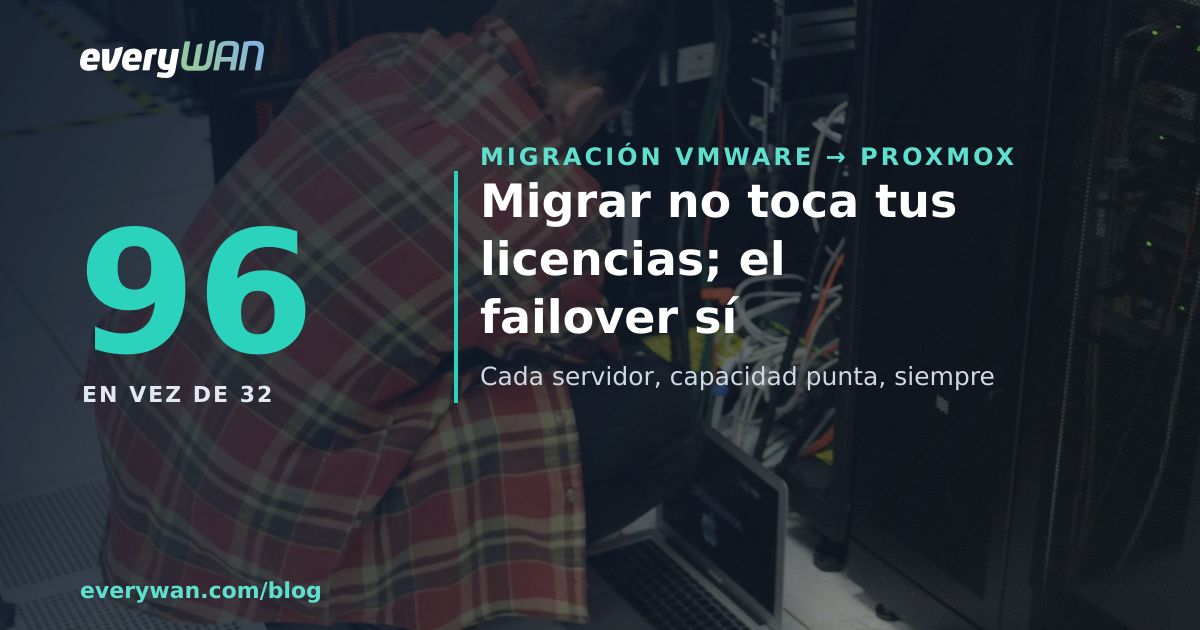
- ·The same six, with the loose rule or no rule at all: they can land on all three nodes, and all three must be licensed for the peak. 96 licences. Same hardware, same workload, same work done. Three times over.
- ·The same six on Standard: each full set of server licences entitles you to two, and each node has to carry all six at peak, so that is three sets of 32 = 96 per node and 288 across the cluster. Whether that crosses the price of Datacenter depends on your rate card, and we do not know your rate card.
The interesting figure is not the 96. It is that 32 and 96 describe exactly the same installation, with the same machines serving the same users, and that all that separates them is one digit in a rules file and a decision about how much availability you want. Which is why we think this conversation does not belong to procurement: it is architecture, and it ends in an invoice.
There is a door that lets the licence travel, and it is a paid one
It is the exception from that first quote, the "except when licensing by virtual core" one. The same guidance describes it with the toll attached: "Licensing Windows Server by virtual core requires the number of subscription licenses or licenses with active Software Assurance equal to the number of virtual cores in the VM (subject to a minimum of 8 licenses per VM)." And then, only then, the thing nearly everybody assumed from the outset becomes true: "As an exception to this, when licensing Windows Server by VM, customers may move subscription licenses or licenses with Software Assurance at any time to another server within the same server Farm."
Down that road the node count stops mattering inside the farm and strict goes back to being a purely technical decision rather than an accounting lock. On the earlier assumptions: six eight-vCPU machines come to 48 licences, against the 96 of Datacenter spread over three nodes. With fatter machines or more density per node the numbers flip, because the crossover is set by how many vCPUs you spread over how many physical cores, and you only learn that by looking at your own inventory. Whether paying for Software Assurance is worth it is not ours to say: it depends on the price you are quoted. What we can say is that the count changes, and that almost nobody runs it before deciding.
By this point in the meeting somebody usually raises a hand and mentions disaster recovery rights: the Software Assurance benefits list opens that section with "Windows Server License is not required for the disaster recovery Server if the following conditions are met." It exists, it is real and it is worth reading — but the conditions that follow are strict and describe a recovery server, not a cluster node that serves production the rest of the year. Read them with your reseller before counting on them.
SQL Server plays by different rules, and one of them changed in 2022
If a database is going to live in that cluster, the sums are different and so is the minimum: the core-based licensing guidance talks about licensing each virtual core assigned to the machine, "with a minimum of four core licenses required per virtual machine". Four, not the eight of Windows Server. But before the minimum there is a door, and its wording deserves reading in full: "If you have subscription licenses or licenses with active Software Assurance for SQL Server 2022, you can license by virtual machine", and immediately after, "If you use earlier versions with perpetual licenses, you also have this option."
Read it slowly, because it runs the opposite way to how it sounds: for earlier versions with perpetual licences the option is still there, and it is in SQL Server 2022 that licensing machine by machine starts requiring a subscription or active Software Assurance. Anyone who bought 2022 perpetual without SA finds that their database has to be licensed by physical cores — on every node it might end up on. And that is precisely the SQL box sitting in HA, because it was the most critical machine. One more detail, which here does change the result: "For licensing purposes, a virtual core maps to a hardware thread." Counting physical cores, hyper-threading does not alter the sums; counting vCPUs, it does.
The AVMA myth, which is not yours if you come from vSphere
The moment someone mentions changing hypervisor, up comes the warning that you will lose automatic activation of your virtual machines. Microsoft's documentation settles it in two sentences: "AVMA requires a Windows Server Datacenter edition with the Hyper-V server host role installed" and, just in case there was any doubt, "AVMA doesn't work with other server virtualization technologies." If you are coming from vSphere, you never had it. Your machines already activate against a KMS, with MAK or through Active Directory, and they will keep doing exactly that on top of Proxmox. There is nothing to lose because there was nothing.
That said, on that same page there is a sentence that is not yours and works as an analogy, because it says about activation in Hyper-V clusters what the licensing rules say only indirectly: "In a failover cluster, each virtualization server host in the cluster must be activated for guest VMs to stay activated, regardless of which server they run on." Regardless of which server they run on. Not your rule; the same idea, for once written out loud.
If you come from Proxmox VE 8, your groups are not called that any more
A short note for anyone who already had a cluster and comes not from VMware but from the previous branch. The documentation says "HA Groups are deprecated and migrated to HA Node Affinity rules since Proxmox VE 9.0", and the release notes for that version set the condition: "Existing HA groups will be automatically migrated over to node affinity rules once all nodes in the cluster run Proxmox VE 9." In other words, the conversion does not happen halfway through a rolling upgrade. What used to be a restricted group becomes the strict property this whole article is about, so if you upgraded months ago and have not looked since, that is today's check.
What we look at before moving the first machine
- 1Which machines are Windows, how many vCPUs each has, and which version of SQL Server runs inside. Without that inventory no sum is possible, and more often than you would think it does not exist.
- 2Which nodes each one may go to, decided on purpose. It is an availability decision that gets paid for in licences, not the other way round.
- 3That decision written as a node affinity rule, with
strictset deliberately and with someone saying out loud what happens the day the nodes in that corner are down. - 4Physical cores on each node in scope, applying the minimums node by node: a server with two six-core processors counts as 16, not 12.
- 5Two questions for your reseller, in writing: whether your licences carry active Software Assurance, and which licensing option your agreement allows. Anyone can do the arithmetic; what helps you in an audit is the answer signed.
None of this is an argument for or against migrating. It is a line in the business case that tends to surface late and works out just as well the day before you start as the day after you sign, except that the day before you can still change your mind. If that is where you are, we have written it up in pieces: piloting an alternative is not migrating, and there are cases where the most honest answer is not to migrate.
Sources (verified on 2026-09-26): per-physical-core licensing with its exception ("except when licensing by virtual core") and the 16-per-server and 8-per-processor minimums, the Standard and Datacenter OSE entitlements, the 90-day reassignment rule, the sentence on License Mobility across Server Farms and peak capacity, and both quotes on licensing Windows Server by virtual core (8-licence minimum per VM and mobility within the farm) — Microsoft's server virtualisation licensing guidance. The four-core-licence minimum per virtual machine for SQL Server, both sentences about licensing by VM on SQL Server 2022 and on earlier versions with perpetual licences, and the virtual-core-to-hardware-thread mapping — core-based licensing models guidance. Reassignment between farms "not within 90 days of the last assignment" and the heading of the disaster recovery rights — Product Terms, Software Assurance benefits. Strict and non-strict behaviour of node affinity rules, the default value of strict, the ha-manager commands and the deprecation of HA groups — Proxmox VE high availability documentation and the ha-manager manual page; the condition for the automatic conversion, in the Proxmox VE 9.0 release notes. AVMA requirements and the failover-cluster note — Microsoft Learn. The figures in the arithmetic section are licence counts we worked out ourselves on the stated assumptions (three nodes, two sockets, sixteen cores per socket, six machines of eight vCPUs); they are not prices and not an offer. Microsoft's guidance pages are Microsoft's own summary: the binding document is your Product Terms and your contract, and different programmes (EA, CSP, OEM, SPLA) change the conditions. Cover photo: Wikimedia Commons (CC0).
How many nodes can your most expensive machine reach? We'll do the count with you
At everyWAN we build the inventory, draw the perimeter for each workload and put the rules in writing before anything moves: it is the least glamorous part of a VMware-to-Proxmox migration and the one that most often decides whether the business case holds. We sell nobody's licences, so our consulting earns no commission on whatever the numbers say. If they come out against you, we will tell you that too.
Talk to everyWAN

 Microsoft 365
 ES
ES  CAT
CAT  EN
EN